Connect GitHub
Demo mode is intentionally credential-free. To work with your own repositories, the operator switches the runtime to GitHub mode and configures a GitHub OAuth App. The owner then connects GitHub; invited participants can use a local account or an existing GitHub sign-in.
The operator configuration and the daily user flow are separate steps:
- The operator puts the OAuth values in the local runtime.
- The owner signs in and selects a repository where the connected GitHub account can write.
- Collaborators and viewers join through valid role-specific invitations. A repository-backed save is performed by the owner.
Create an OAuth App
Use these local values:
- Homepage URL:
http://localhost:4512 - Callback URL:
http://localhost:4512/api/auth/github/callback
Add the client ID and client secret to .env, then set:
SKETCHBLOCK_AUTH_MODE=github
GITHUB_OAUTH_CLIENT_ID=...
GITHUB_OAUTH_CLIENT_SECRET=...
APP_BASE_URL=http://localhost:4512
Local configuration example
Match the URLs to your instance
Set these values in the local runtime before the owner connects GitHub.
http://localhost:4512http://localhost:4512/api/auth/github/callbackSKETCHBLOCK_AUTH_MODE=githubKeep the client secret in the local .env file. A connected owner can then select repositories; invited participants can use a local account or an existing GitHub sign-in.
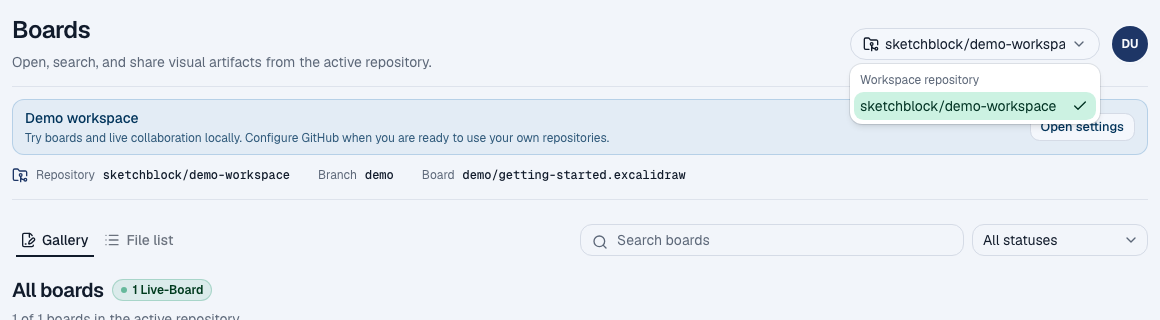
Restart the stack and complete the Instance Owner setup. Sketchblock lists only repositories where the authorized GitHub account can write.
Saving a repository board
Open a board, invite the people who need to review it, and save the agreed canvas from the owner workspace. Sketchblock sends the current .excalidraw content back through the configured repository path and reports the resulting save state. After a real save, inspect the repository history in GitHub to review the commit.
Security note
Keep .env outside Git. The current OAuth integration is the first public integration path. A GitHub App with narrower installation permissions is planned as a later feature.